 bettercut
mcp
Edit with an AI assistant.
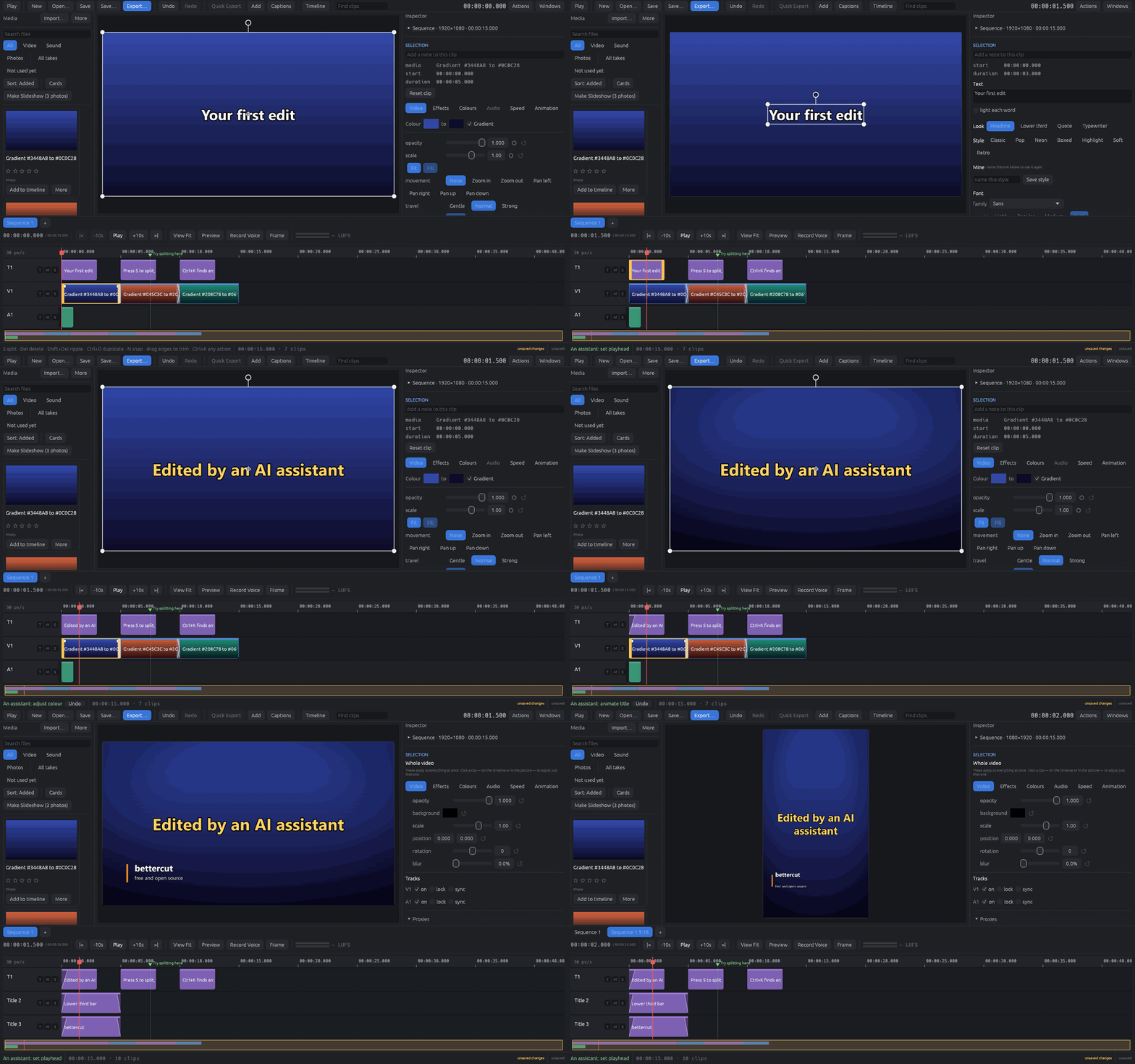
bettercut comes with an MCP server, so Claude — or any assistant that speaks the Model Context Protocol — can edit with you. Ask it to cut the pauses out of an interview, title every speaker, make a vertical copy for Shorts, or duck the music under the voice, and watch it happen in the window. Every change it makes is on your undo history, like your own.
1
Install bettercut
The server, bettercut-mcp, comes with the app on Windows and Mac; on Linux the AppImage is the server too.
download 0.5.02
Connect your assistant
In bettercut, Windows → AI Assistant shows the exact command for your install, ready to copy — for Claude Code, Claude Desktop and other apps. The Claude Code commands are below.
3
Ask it to attach
With bettercut open, say "attach to the bettercut app". From then on its edits land in your window as it makes them. It can see what you have selected, so "make this clip warmer" means the one you clicked.
It connects only on your computer, with a key the app makes each time it starts. Without attaching, it edits project files on its own.
claude code
# Windows
claude mcp add bettercut -- "%LOCALAPPDATA%\Programs\bettercut\bettercut-mcp.exe"
# Mac
claude mcp add bettercut -- /Applications/bettercut.app/Contents/MacOS/bettercut-mcp
# Linux
claude mcp add bettercut -- ~/Applications/bettercut-x86_64.AppImage --mcp
55 tools
Each is one of the editor's own commands — the same one a click runs — so whatever the assistant does, Ctrl+Z undoes. It can look at any frame of the edit (preview_frame) to check its own work.
Working with you
- attach_to_app
- detach_from_app
- get_selection
- select_clips
- set_playhead
Projects
- new_project
- open_project
- save_project
- describe_project
- list_templates
- apply_template
- copy_as_shape
- switch_sequence
- preview_frame
- undo
- redo
- export
Cutting
- import_media
- add_to_timeline
- split_clip
- delete_clip
- move_clip
- trim_clip
- remove_silences
- split_at_scenes
- mark_beats
- add_marker
- freeze_frame
- set_speed
- reverse_clip
Look
- set_transform
- picture_in_picture
- adjust_colour
- apply_filter
- set_effect
- set_opacity
- set_movement
- animate
- add_transition
- set_fades
- add_colour
Words and graphics
- add_title
- style_title
- animate_title
- add_lower_third
- add_shape
- add_sticker
- add_timer
- add_captions
- import_captions
Sound
- set_volume
- normalise_volume
- duck_under_voice
- enhance_voice
- mute_clip
The full reference is in the README, and the server is in the same open-source repository as the editor.